Remote Working Health and Safety: Home Risk Assessments
Remote and hybrid working is now a permanent feature of many organisations. Whether staff work from home full time, split their week, or travel between sites, employers keep the same duty of care they have in the office. Under the Health and Safety at Work etc. Act 1974, that duty follows the worker to wherever the work is done.
Managing a remote workforce well is not only about compliance. Working away from colleagues can affect productivity, communication and mental health, so a good remote-working policy protects both the business and the people in it. This guide covers the challenges, the practical steps employers can take, and the policies worth putting in place.
Common Challenges of Remote Work
Four problems account for most of what goes wrong with remote work, and none of them is about effort. They are structural, which means they respond to arrangements rather than to encouragement.
Absence of face-to-face supervision
Both employers and workers often express concerns about the lack of face-to-face interaction and supervision. Managers worry that staff will not work as hard or as efficiently, while employees can feel unseen or unsupported.
Reduced access to information
Remote workers are often surprised by the added time and energy required to get information from colleagues. A lack of shared context can slow decisions and reduce the willingness to give each other the benefit of the doubt.
Social isolation
One of the most common complaints about remote work is that workers miss informal social interaction. This can affect wellbeing in both the short and long run, particularly for those who live alone or have little chance to connect with others during the day.
Distractions and poor set-ups at home
Home environments vary widely. Some staff will have a suboptimal workspace, competing caring responsibilities, or a workstation that was never designed for full-time use.
Each of these four is manageable once it is named, and each one leaves a trace in the risk assessment. That is where the practical work starts.
What a Working From Home Risk Assessment Covers
The assessment is not a longer version of the office one, it is a shorter one aimed at six specific areas. Keep it proportionate to the risk, record what the employee tells you, and treat it the same way you would treat any other method statement: the value is in the controls, not the form.
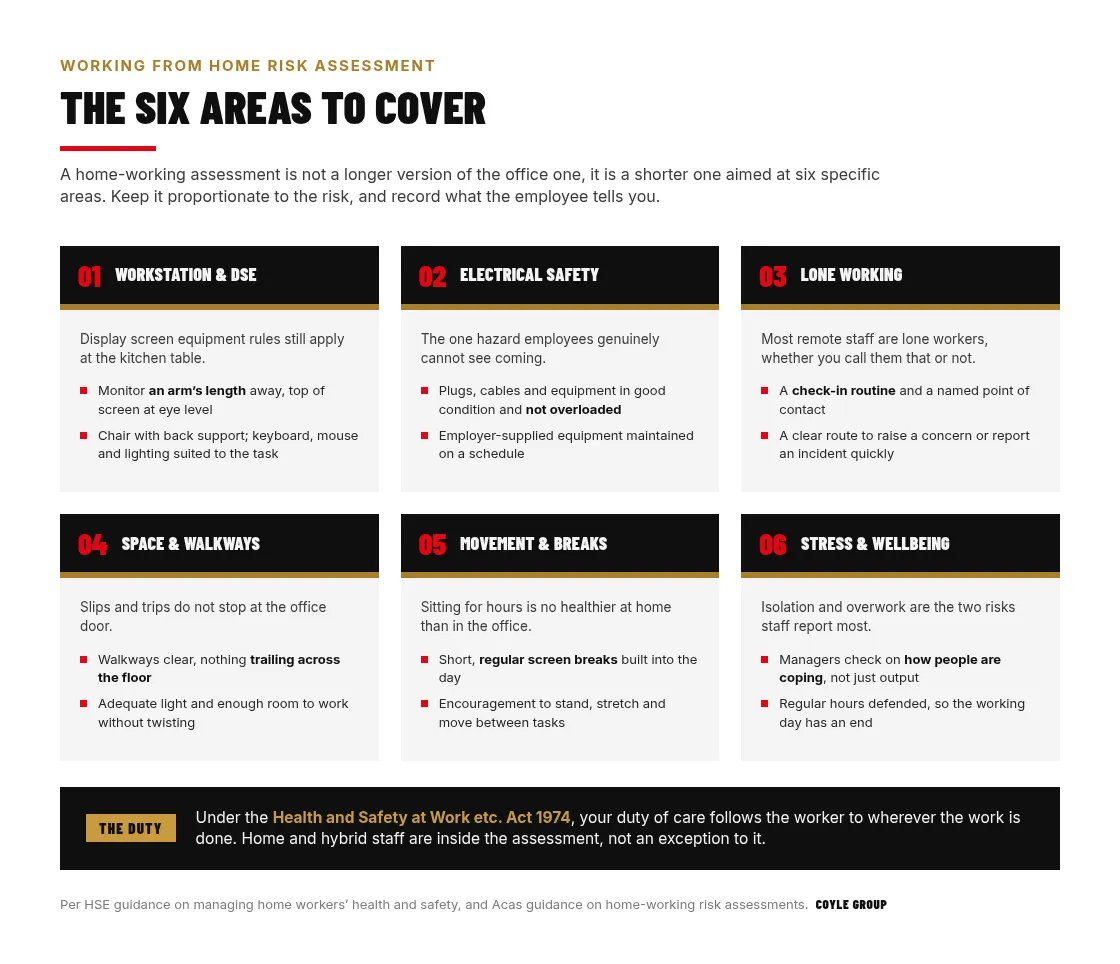
The HSE sets out what it expects in its home workers guidance, and is clear that the approach should stay balanced and proportionate rather than turning into a site inspection of somebody’s spare room. Acas takes the same line in its guidance on home-working assessments, which is worth reading alongside it because it deals with the employment-relations side: who completes the form, and what happens when an employee’s home cannot be made suitable.
How Employers Can Support Remote Employees
Support for remote staff divides into six areas, and they map closely onto the assessment above. Working through them in order stops the effort collapsing into equipment purchases alone.
Home-workstation and DSE assessments
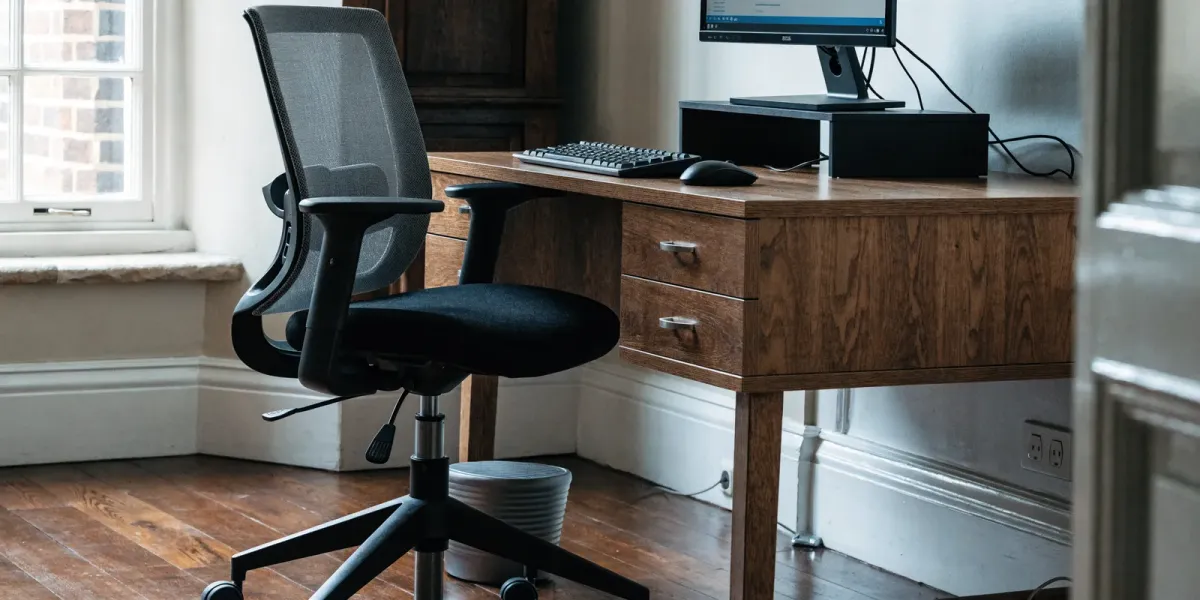
The single most important step is a working from home risk assessment that covers the workstation. Display screen equipment (DSE) rules still apply: check the chair provides back support, position the monitor roughly an arm’s length away with the top of the screen at eye level, and make sure keyboard, mouse and lighting suit the task. Encourage staff to take short, regular screen breaks.
Provide the right communication technology
Remote workers benefit from richer tools such as video conferencing for discussion and instant messaging for quick questions. Agree which channel is used for what, so people are not left guessing or waiting.
Encourage regular movement
Sitting for hours is no healthier at home than in the office. Encourage employees to stand, stretch and move regularly, and to build short breaks into the day to protect their posture and concentration.
Address lone working
Many remote staff are effectively lone workers. Put simple arrangements in place: a way to check in, a point of contact, and a clear route to raise a concern or report an incident quickly.
Electrical and general safety
Ask staff to check that plugs, cables and equipment are in good condition and not overloaded, that walkways are clear, and that any employer-supplied equipment is maintained. Keep the assessment proportionate to the risk.
Mental health and wellbeing
Wellbeing is central to remote-work safety. Encourage staff to avoid overwork, keep regular hours, take breaks and stay active. Managers should check in on how people are coping, not just on their output, and the same mental health duties you carry on site carry over to the kitchen table.
Taken together these six turn a policy into arrangements people actually feel. The test is whether a remote worker could name who to contact and how, without having to look it up.
Building a Remote Work Strategy
A workable strategy sets out who works remotely, how often, and what good remote work looks like. It should be honest about the trade-offs and reviewed as the business and its people change.
Find the right mix
Consider the nature of the work, the experience level of the individual, and their own preferences. Some roles and people thrive fully remote; others need more in-person time.
Keep company culture strong
Culture does not maintain itself at a distance. Deliberate steps such as team catch-ups, occasional in-person days and clear, consistent communication all help people stay connected.
Update HR policies
Recruitment, pay and benefits policies may need revisiting to reflect a distributed workforce and to keep them fair for office-based and remote staff alike.
Invest in training
Managing people you cannot see requires different skills. Train managers to lead remote teams, set clear expectations, and support wellbeing from a distance.
A strategy that names the mix, the culture work, the policies and the training is one you can hand to a new manager. Anything vaguer gets reinterpreted at each level until it means nothing in particular.
Everyday Management Practices
Strategy sets the frame, but what people experience is the day to day. Four habits do most of the work here, and all four cost attention rather than money.
- Keep the remote-work climate healthy. Build an environment that is supportive and positive for remote workers, so they feel trusted rather than monitored.
- Help people balance work and life. The goal is not a perfect balance but a sustainable rhythm that works for the individual and the team.
- Create psychological safety. High-performing teams share a sense of psychological safety, where people can speak up, ask for help and offer ideas without fear of criticism.
- Engage people intentionally. Even small amounts of high-quality social connection matter when people work apart. Make time for it.
None of these four appears on a compliance checklist, which is exactly why they are the first to be dropped. They are also what decides whether the rest of your arrangements hold up.
Getting Remote Working Right
Remote working is here to stay, and the employers who manage it well treat it as a health and safety issue as much as a productivity one. Hybrid teams need both halves covered, so it is worth reviewing the everyday risks of shared spaces too, from office hazards to preventing hot spillages when staff are back on site.
If your remote-working policy has never been tested against the six areas above, that is the gap worth closing first. Get expert RAMS & compliance support and we will build the assessment once, properly, so it covers every worker wherever they sit.
Frequently Asked Questions
Do employers have health and safety duties for staff working from home?
Yes. Under the Health and Safety at Work etc. Act 1974, an employer's duty of care extends to employees working from home or remotely. That includes assessing the risks of the home workstation, display screen equipment and any lone working.
What should a working from home risk assessment cover?
It should cover the workstation and seating, display screen equipment (DSE), electrical safety of equipment and cabling, adequate lighting and space, lone-working arrangements, and how the employee will raise concerns or report an incident.
What does a working from home risk assessment look like in practice?
It is shorter than an office assessment, not longer, and covers 6 areas: workstation and DSE set-up, electrical safety, lone working, space and walkways, movement and breaks, and stress and wellbeing. In most cases the employee completes a self-assessment checklist and you record their answers plus the actions agreed. Keep it proportionate; the HSE is explicit that it should not become an inspection of somebody's spare room.
Are home workers classed as lone workers?
In practice, yes. Most staff working from home are lone workers for health and safety purposes, because nobody is present to raise an alarm. That means you need simple arrangements in place: a way to check in, a named point of contact, and a clear route to report an incident or raise a concern quickly.
Does DSE apply to people working from home?
Yes. Display screen equipment rules follow the work rather than the location, so they apply to anyone using a screen at home as part of their job. Check that the chair supports the back, the monitor sits roughly an arm's length away with the top of the screen at eye level, and that keyboard, mouse and lighting suit the task. Encourage short, regular screen breaks.
Do employers have to pay for home working equipment?
There is no blanket duty to kit out a home office, but if your risk assessment identifies that equipment is needed to work safely then providing it becomes part of controlling the risk. In practice most employers supply the screen, keyboard, mouse and chair where those are the controls the assessment calls for, and Acas guidance is worth reading on what happens when a home cannot be made suitable.